Free digital business card with a QR code
KotaDex turns your contact details into a QR code on the app's Home screen. When someone points their phone camera at it, your details open as a new contact they can save. They don't need the app, and you don't need an account.

Last updated · Covers KotaDex 2.5.0
How to make your digital business card
- Open Settings (the gear at the top right), then Digital Business Card. The first time you open KotaDex, the welcome screen offers to set it up.
-
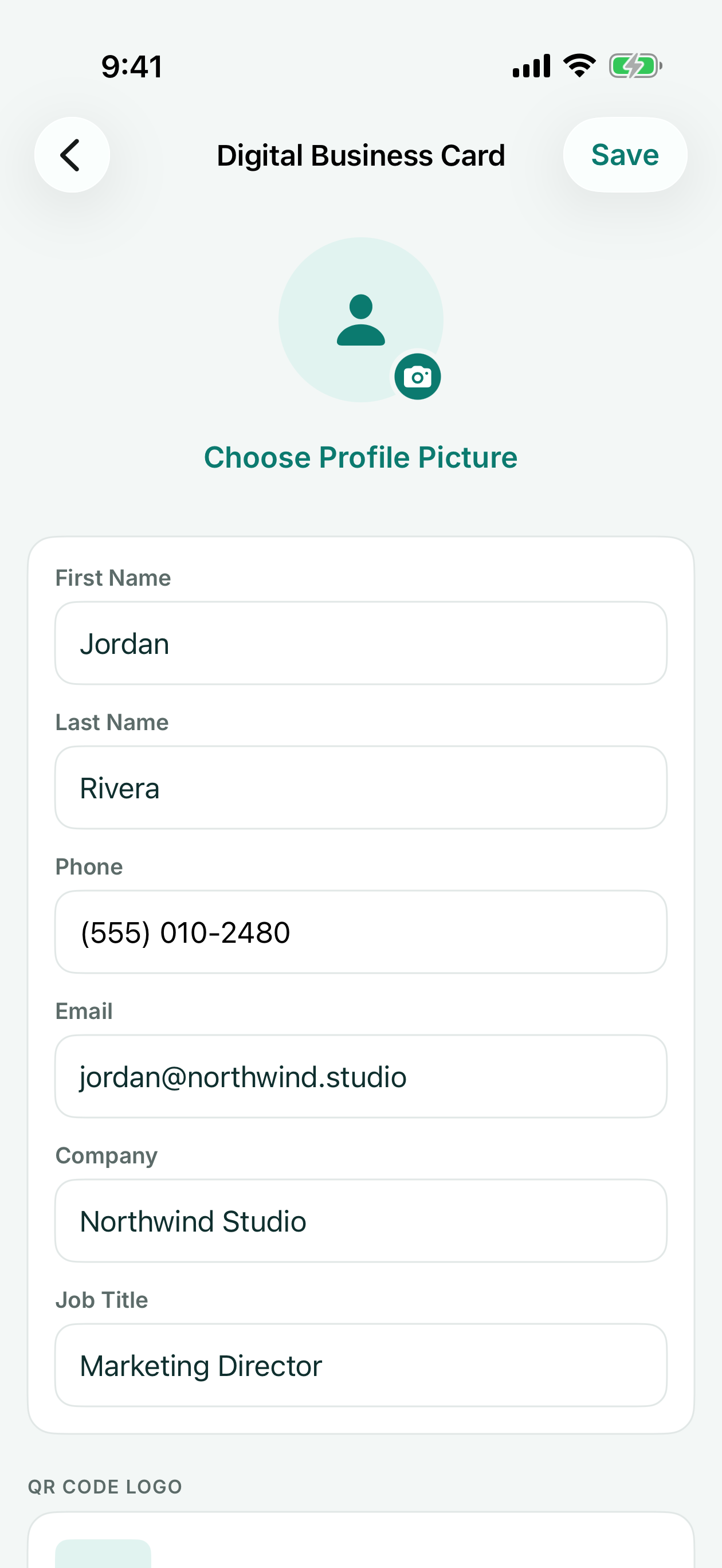
Enter your name, job title, company, phone and email, with an optional photo and a logo for the middle of the QR code. Then tap Save.
-
Go to the Home tab. Your card is there, with its QR code.
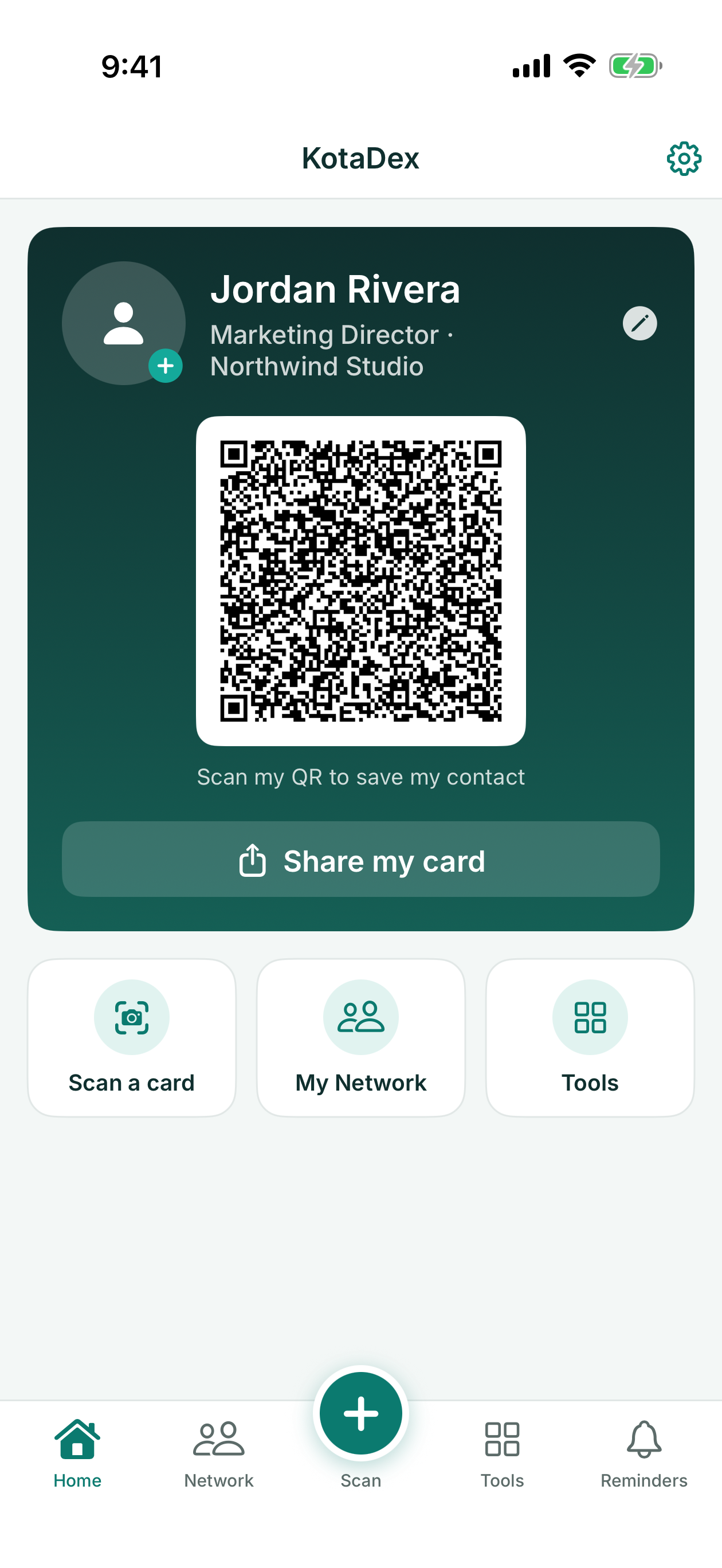
- Hold up your phone so the other person can scan the QR code with their phone camera.
What goes on your card
Your first and last name are needed for the QR code; everything else is optional. The QR code and the contact card you send hold your name, job title, company, phone number and email. Your photo shows on your card in KotaDex but isn't sent, and there are no fields for a website, address or social handles. Edit your card any time from Settings, then Digital Business Card, or tap your photo on the card.
Share it two ways
Show the QR code on your Home screen for someone to scan, or tap Share my card to send your contact card in a message or email.
What the other person sees
Your details open as a new contact on their phone, ready to save.
Free, with no account
Sharing your card never needs an ad or Pro, and there is no account to create. Your details are in the code itself, not on a web page, so there's no profile to host or keep paying for.
Questions and answers
Does the other person need KotaDex?
No. Their phone's camera reads the code.
Is it free?
Yes. Making and sharing your card is free and never needs an ad.
Can I add my logo?
Yes, in the middle of the QR code. It's optional.
Can I print it?
Yes. Tap Save QR Code under the code on the Home screen to save it to your photos as an image, then print it or add it to a slide or flyer.
Does it work without internet?
Yes. KotaDex makes the QR code on your phone and your details are in the code itself, so showing it needs no connection and there's no web page for the other phone to load. When you use Share my card, the app you send it with may need a connection.
Your card is stored only on your phone. We never receive it; it goes only to the people you show it to or send it to. How KotaDex handles your data
More guides
- Export business cards to Excel
- Scan receipts to CSV for your expense report
- The KotaDex tutorial: Your Digital Business Card
- KotaDex home page
Get KotaDex
Free to download for iPhone, iPad and Android.